 BIDOUCHE
EduMaster
EduMaster supports classroom organisation and teaching preparation: timetable, daily logbook (cahier journal), sequences, progressions and exercises linked to competencies.
Quick overview
- Progression, daily logbook, work plans, exercises and assessment: from planning learning to printable exercises and assessment.
- Timetable and daily logbook for the day-to-day organisation of the class.
- Progressions and progression view to plan learning.
- Teaching sequences and work plans (PDT) to prepare steps and activities.
- Competency frameworks (référentiels), domains, competencies and sub-competencies to structure content.
- Worksheet and exercise creators, visual editor, templates, preview and PDF export.
- An English version of the application is planned.
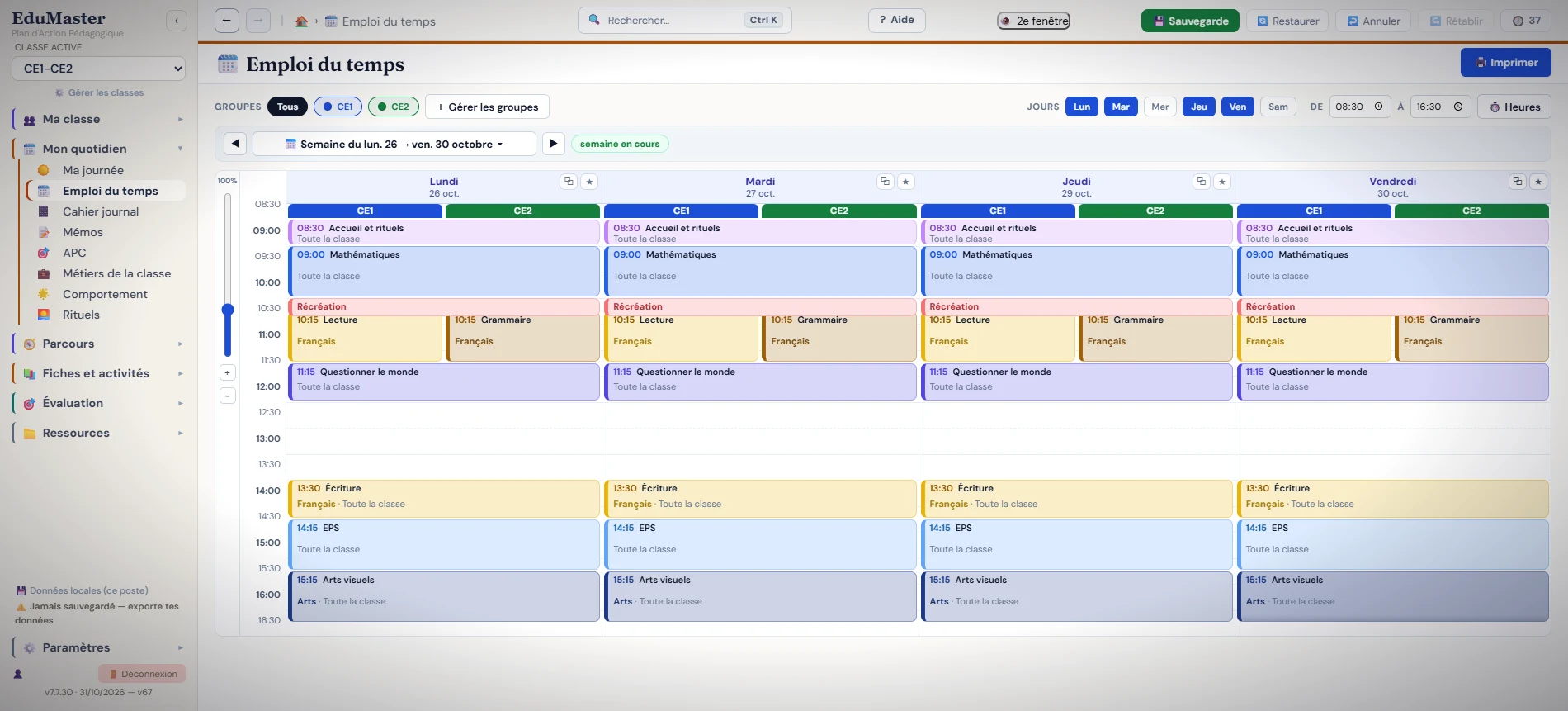
Prepare and view the class timetable
The weekly view groups lessons by day, time slot and subject. It makes it easy to find the French, mathematics, PE or language sessions, as well as playtimes and the lunch break. This representation helps you find your way around the week and adjust your teaching plans.
Class navigation also gives access to the daily logbook, memos, routines, progressions, sequences and work plans. These spaces meet complementary needs for preparing and following up activities.
Teaching progressions: planning learning
The progression is a guiding thread for the class: it lets you organise learning over time based on the domains, competencies and sub-competencies of the competency framework (référentiel). EduMaster brings these elements together in the “Progressions” space, so you can prepare the teaching programme without separating teaching objectives from daily work.
Viewing progressions
The progression view is a reference point: it is used to consult the programme and to place learning within the organisation of the class. This visibility is particularly useful for preparing the next steps and keeping the various activities consistent.
Teaching sequences: organising the learning steps
The “Sequences” space is dedicated to preparing groups of lessons around an objective or a competency. The sequence sheet plays an intermediate role between the overall progression and the activity carried out in class. The value of EduMaster is to bring these levels of preparation together in a single application.
Work plans (PDT): preparing pupils' work
EduMaster includes a “Work plans” space. Work plans (PDT) let you organise activities to offer to pupils, alongside the sequences and exercises prepared by the teacher. This space deserves its own place in the presentation of the software: it is not just a submenu of the timetable.
From the competency framework to the daily logbook
The overall logic is simple: start from the competencies to work on, build your progression, prepare sequences and work plans, then organise the activities in the timetable and the daily logbook. The worksheet and exercise creators complete this path by giving the teacher concrete materials for their lessons.
The functions for reorganising domains, competencies and sub-competencies are among the important topics to document precisely as versions are validated.
Create printable, customised exercises
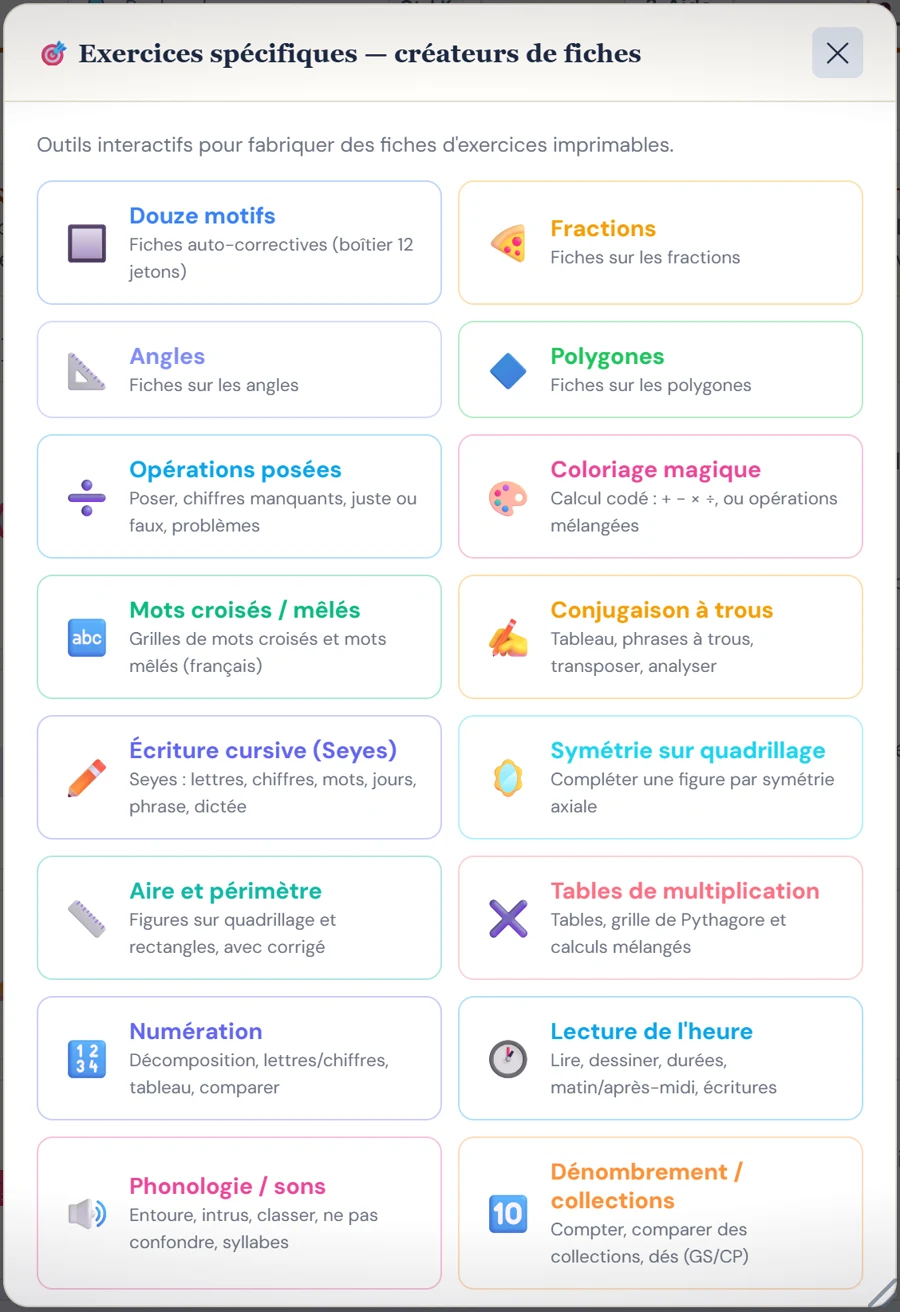
EduMaster offers worksheet creators to prepare printable school exercises. The visible tools cover in particular fractions, angles, polygons, written operations, multiplication tables, symmetry, fill-in-the-blank conjugation, crosswords and word searches, colour-by-number puzzles, and telling the time. This makes it possible to vary the materials according to the subject and the teaching objective.
Some generators are specialised in a single topic, while others let you compose a worksheet freely. For a teacher, the benefit is being able to adapt the material to a lesson or a group of pupils, rather than starting from a blank sheet every time.
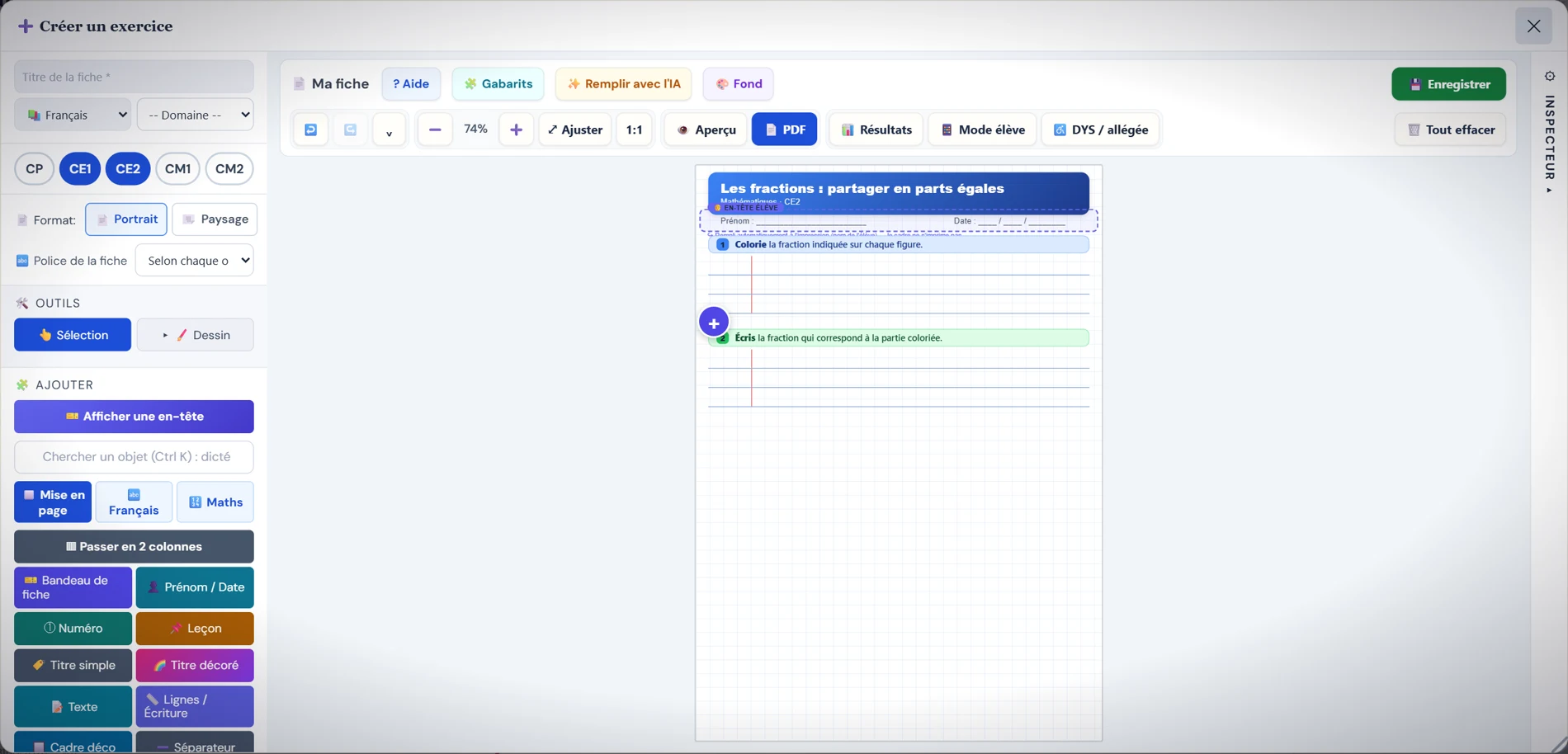
Laying out a worksheet with a visual editor
The worksheet editor brings together a composition area, layout objects and settings to customise each element. You can insert a title, text, a banner, a space for the name and date, writing lines, shapes or an image. The interface also shows templates, a preview, a pupil mode, PDF export commands and a button for AI-assisted completion.
These features make it easier to prepare materials suited to different learning needs. Exercises generated or completed automatically must always be checked by the teacher before they are used in class.
Keeping a clear structure
Being able to reorganise domains and competencies is important for evolving a competency framework. A well-designed interface should allow these changes without losing the logic of the exercises already prepared.
EduMaster thus aims at regular use for lesson preparation and teaching organisation, rather than an accumulation of features unrelated to learning.
Who is EduMaster for?
For people who design activities and learning materials structured by competencies. The exact scope of the available competency frameworks and the terms of use will be specified when the application is made available.